A new way of working with emails
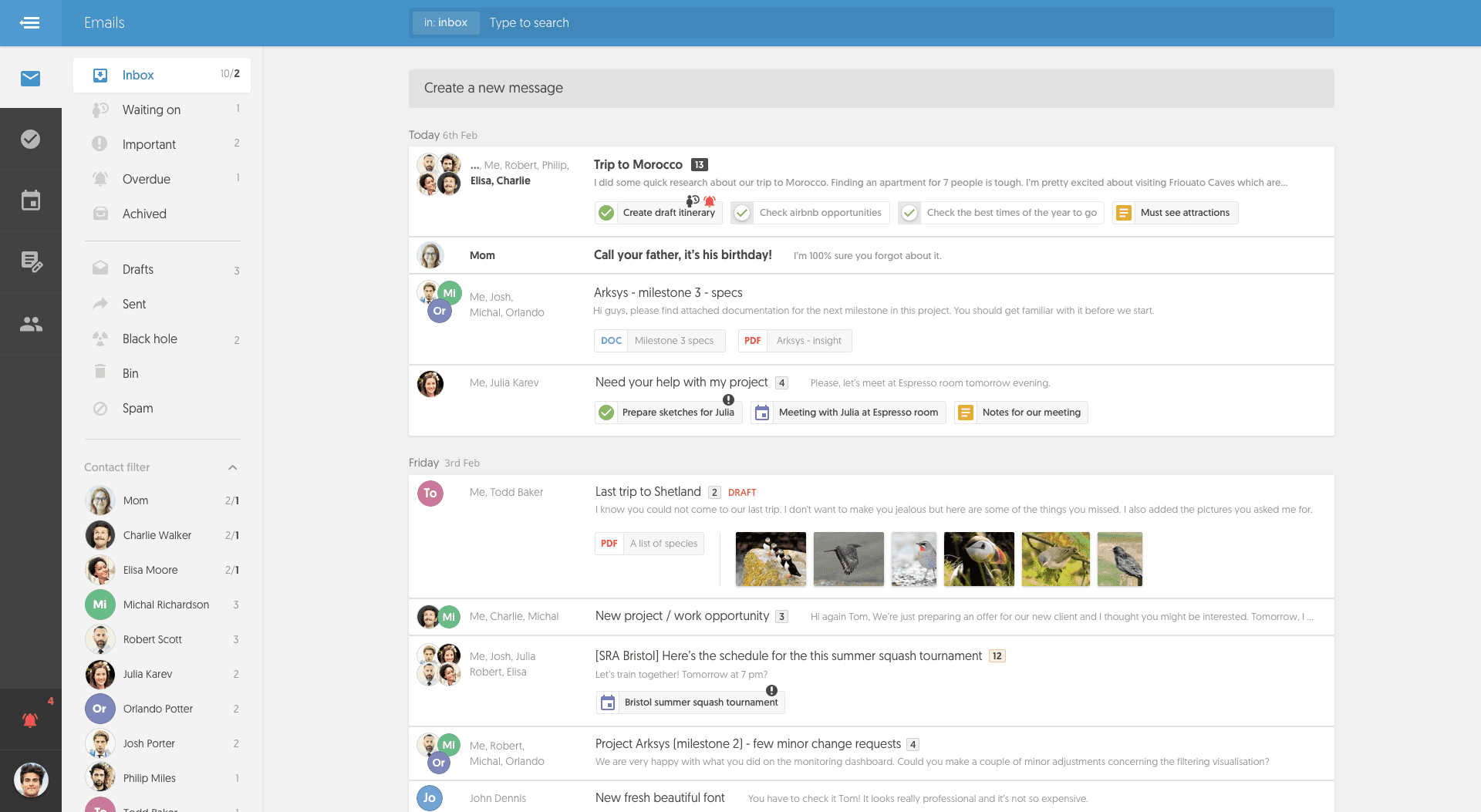
Busy.me by Appsbooth helps you organize your emails, tasks, events, and notes in one secure workspace. Sign in with your Appsbooth account to stay focused, connected, and productive.
Workflow
busy.me Key Features
About Busy.me by Appsbooth
Busy.me by Appsbooth is a smart productivity platform designed to help you organize your entire workday in one place. It brings together your emails, tasks, and notes into a single, unified dashboard — so you can stay focused, connected, and on top of everything that matters.
Busy.me is part of the Appsbooth ecosystem. You sign in securely using your Appsbooth account to access Busy.me and connect your Google data where needed. We’re actively expanding support for other email and productivity services to ensure Busy.me fits the way you work — no matter what tools you use.
Our Purpose and Features
With Busy.me, you can easily view and manage your emails, tasks, and notes in one workspace. Create tasks, assign due dates, and connect related messages — all without switching between multiple apps.
- Read, manage, and organize your Gmail messages directly in Busy.me
- Open and view attachments securely within the app
- Link emails to related tasks or notes for better organization
- Track deadlines, reminders, and progress in one unified dashboard
- Collaborate and stay productive without juggling multiple tools
How Busy.me Uses Google User Data
To deliver these core features, Busy.me requests specific access to your connected Google account. This access is always user-initiated, secure, and limited to providing the functionality you request.
- Read your Gmail messages (including subject, sender, body, and attachments) to display, organize, and link them with your tasks and notes within Busy.me.
- Send and reply to emails — only when explicitly triggered by you (for example, when you compose or reply to a message).
- Read your Google Contacts (read-only) to help you select recipients when composing messages.
Email content access is used exclusively to power Busy.me’s productivity features such as displaying messages, linking them to tasks, and enabling in-app replies. We do not use your email data for analytics, profiling, advertising, or any non-essential functionality.
Privacy and Data Protection
Your privacy is our top priority. Busy.me never sells, shares, or uses your data for advertising or profiling. All data access and storage are encrypted, and data is handled according to the principle of minimum necessary access.
Busy.me is developed and operated by Appsbooth. For more details about how we handle user data, please visit our Privacy Policy.
Privacy and Data Protection
Your privacy is our top priority. Busy.me never sells, shares, or uses your data for advertising or profiling.
Busy.me is developed and operated by Appsbooth.
For more details, visit Privacy Policy.